(Jan 10) GnuPG could allow unintended access to network services.
Comment
(Jan 10) GnuPG could allow unintended access to network services.
(Jan 10) Several security issues were fixed in WebKitGTK+.
WordPress 5.1 Beta 1 is now available!
This software is still in development, so we don’t recommend you run it on a production site. Consider setting up a test site to play with the new version.
There are two ways to test the WordPress 5.1 beta: try the WordPress Beta Tester plugin (you’ll want to select the “bleeding edge nightlies” option), or you can download the beta here (zip).
WordPress 5.1 is slated for release on February 21, and we need your help to get there. Here are some of the big items to test so we can find as many bugs as possible in the coming weeks.
Site Health Check is an ongoing project aimed at improving the stability and performance of the entire WordPress ecosystem. The first phase of this project is included in WordPress 5.1. For the first time, WordPress will catch and pause the problem code, so you can log in to your Dashboard and see what the problem is (#44458). Before, you’d have to FTP in to your files or get in touch with your host.
Additionally, in April 2019, WordPress’ will increase its minimum supported PHP version to 5.6. To help you check if you’re prepared for this change, WordPress 5.1 will show you a warning and help you upgrade your version of PHP, if necessary.
WP_DEBUG_LOG can be set to a custom log location (#18391).wp_blogmeta table (#37923).LIKE support to meta_key comparisons in WP_Meta_Query (#42409).There have been over 360 tickets closed in WordPress 5.1, with numerous small bug fixes and improvements to help smooth your WordPress experience.
Keep your eyes on the Make WordPress Core blog for more developer notes (which are assigned the dev-notes tag) in the coming weeks detailing other changes in 5.1 that you should be aware of.
Do you speak a language other than English? Help us translate WordPress into more than 100 languages!
If you think you’ve found a bug, you can post to the Alpha/Beta area in the support forums. We’d love to hear from you! If you’re comfortable writing a reproducible bug report, file one on WordPress Trac, where you can also find a list of known bugs.
Miss my haiku?
I will have plenty for you
in the coming weeks.
Dozens of U.S. government websites have been rendered either insecure or inaccessible during the ongoing U.S. federal shutdown. These sites include sensitive government payment portals and remote access services, affecting the likes of NASA, the U.S. Department of Justice, and the Court of Appeals.
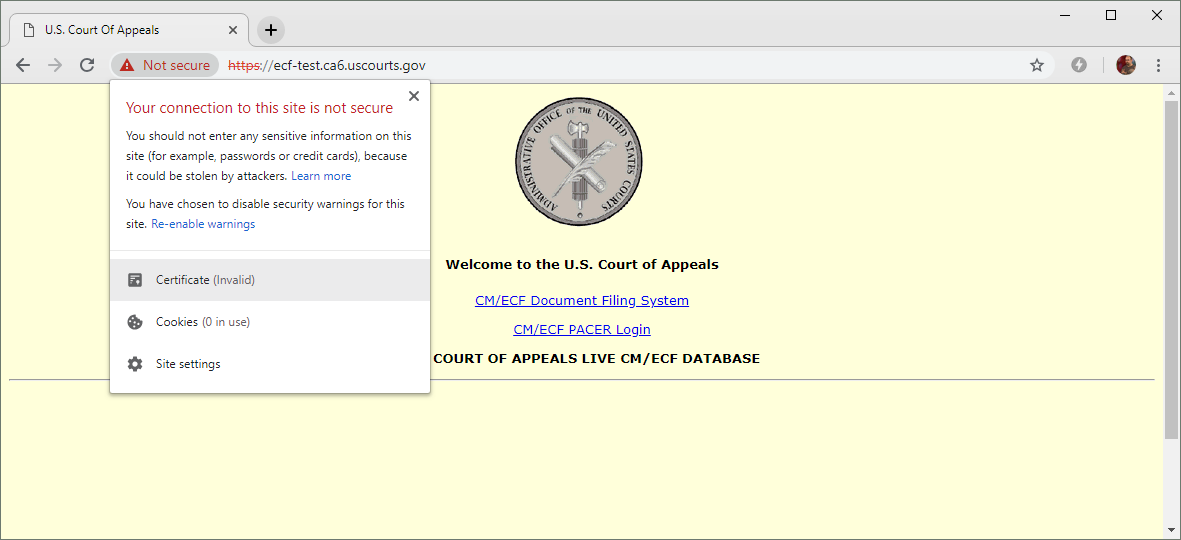
The DigiCert certificate used by this U.S. Court of Appeals website expired on 5 January 2019 and has not yet been renewed. The site provides links to a document filing system and PACER (Public Access to Court Electronic Records).
With around 400,000 federal employees currently furloughed, more than 80 TLS certificates used by .gov websites have so far expired without being renewed. To compound the situation, some of these abandoned websites can no longer be accessed due to strict security measures that were implemented long before the shutdown started.
One such example is https://ows2.usdoj.gov, a U.S. Department of Justice website which uses a certificate that expired in the week leading up the shutdown. The certificate has been signed by a trusted certificate authority, GoDaddy, but it has not been renewed since it expired on 17 December 2018.
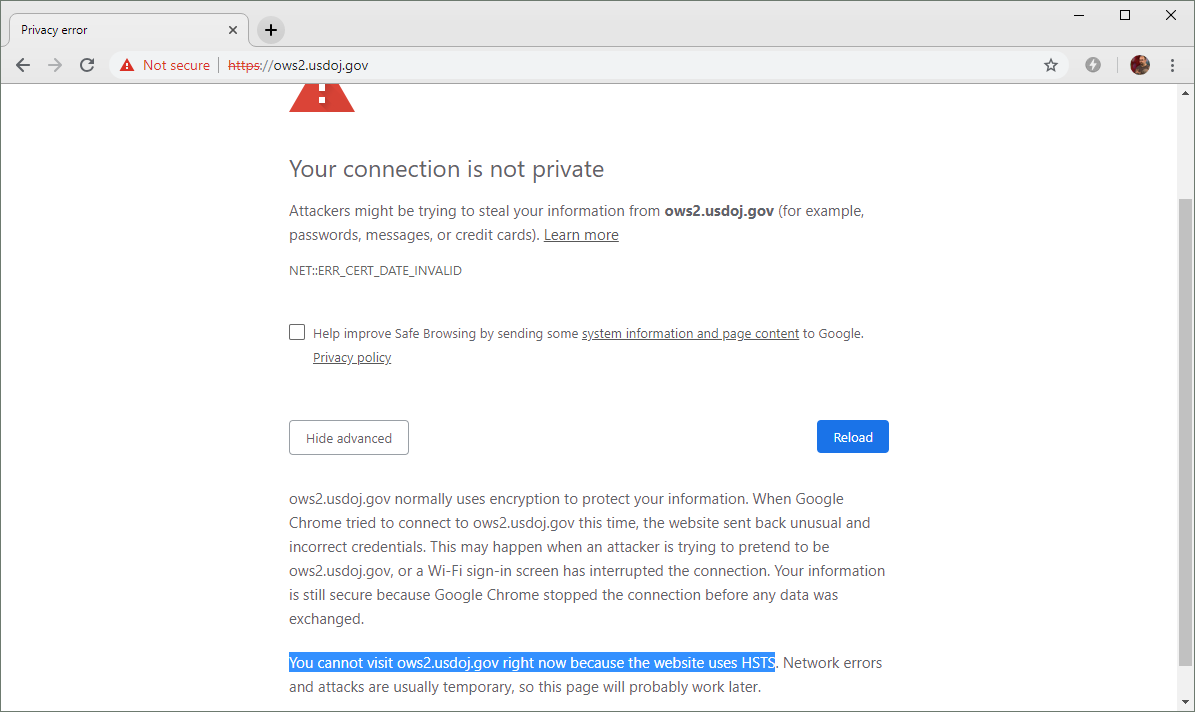
All U.S. Department of Justice subdomains are covered by an HSTS policy. Combined with an expired TLS certificate, this currently makes it difficult for regular users to ignore the warnings and use the website.
In a twist of fate, the usdoj.gov domain — and all of its subdomains — are included in Chromium’s HSTS preload list. This is a prudent security measure which forces modern browsers to only use secure, encrypted protocols when accessing the U.S. DoJ websites; however, it will also prevent users from visiting the HTTPS sites when an expired certificate is encountered. In these cases, modern browsers like Google Chrome and Mozilla Firefox deliberately hide the advanced option that would let the user bypass the warning and continue through to the site.
While this behaviour is bound to frustrate some users, in this case, security is arguably better than usability when you can’t have both. If users were to ignore such warnings, they would be vulnerable to the type of man-in-the-middle attacks that TLS certificates were intended to combat.
However, only a few of the affected .gov sites implement correctly-functioning HSTS policies. Just a handful of the sites appear in the HSTS preload list, and only a small proportion of the rest attempt to set a policy via the Strict-Transport-Security HTTP header – but the latter policies will not be obeyed when they are served alongside an expired certificate, and so will only be effective if the user has already visited the sites before.
Consequently, most of the affected sites will display an interstitial security warning that the user will be able to bypass. This introduces some realistic security concerns, as task-oriented users are more likely to ignore these security warnings, and will therefore render themselves vulnerable to man-in-the-middle attacks.
For example, https://rockettest.nasa.gov/ is not included in the HSTS preload list, and its certificate expired on 5 January 2019. This causes browsers to display an interstitial security warning that users can ignore.
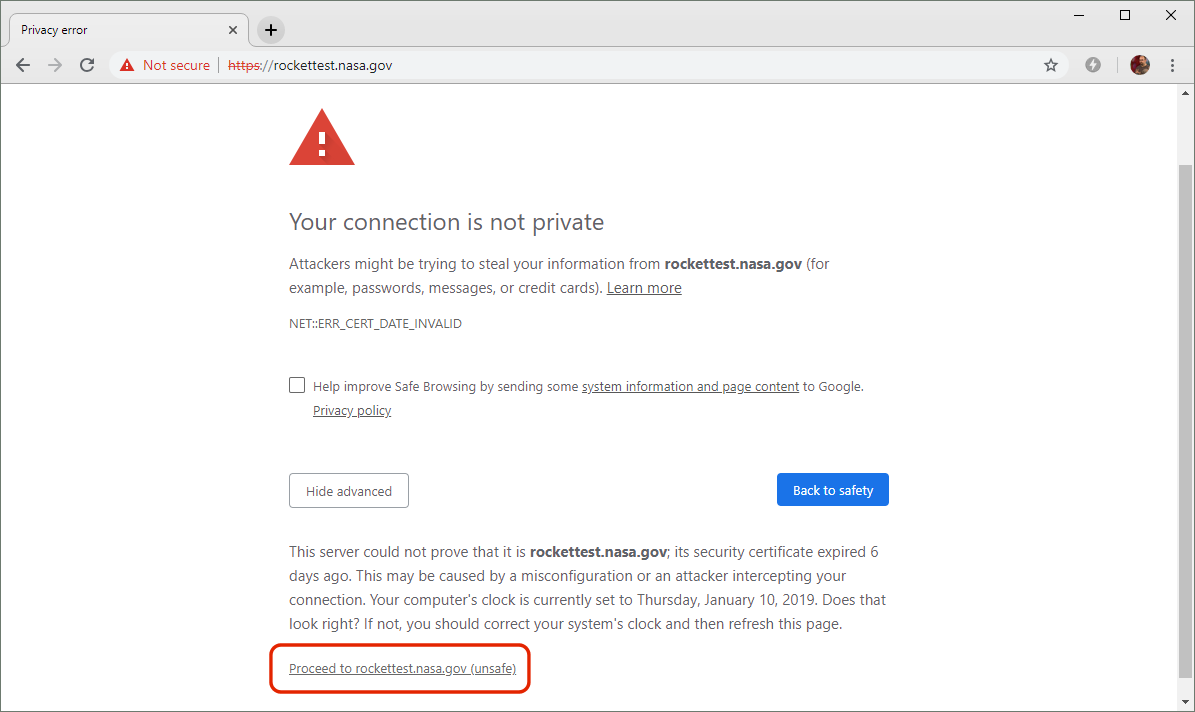
This NASA website is still using an expired certificate, but the domain does not appear on the HSTS preload list. Users can therefore ignore the browser’s warnings and proceed to the site.
The following example clearly demonstrates the potential dangers of ignoring browser security warnings. The certificate used by this Berkeley Lab website at https://d2l.lbl.gov expired on 8 January 2019 and has not yet been replaced. As there is no effective HSTS policy, users can ignore the browser’s warnings and proceed to the login form.
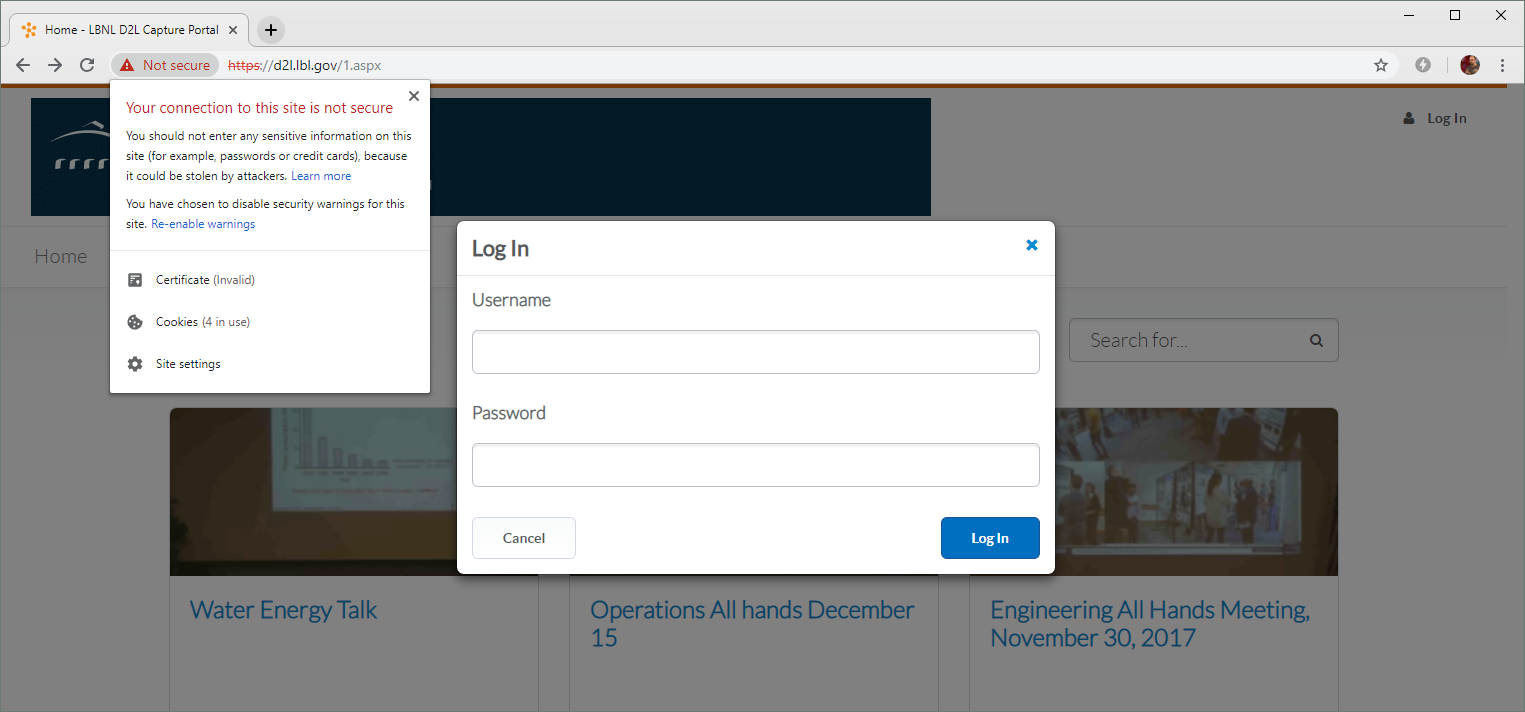
Encouraging users to ignore browser warnings could make them more susceptible to man-in-the-middle attacks. In this example, clicking next to the browser’s address bar will explicitly advise the user not to enter any sensitive information, such as passwords – but anyone who really needs to use the site may foolishly end up doing so anyway.
With Donald Trump seemingly unwilling to compromise on his demands for a wall along the border with Mexico, and Democrats refusing to approve a budget containing $5.7bn for the wall, the hundreds of thousands of unpaid federal employees might not be the only ones hurting. As more and more certificates used by government websites inevitably expire over the following days, weeks — or maybe even months — there could be some realistic opportunities to undermine the security of all U.S. citizens.
The post Guard your WordPress security: Understand SQL injections appeared first on Plesk.
55 queries. 8.75 mb Memory usage. 0.895 seconds.